



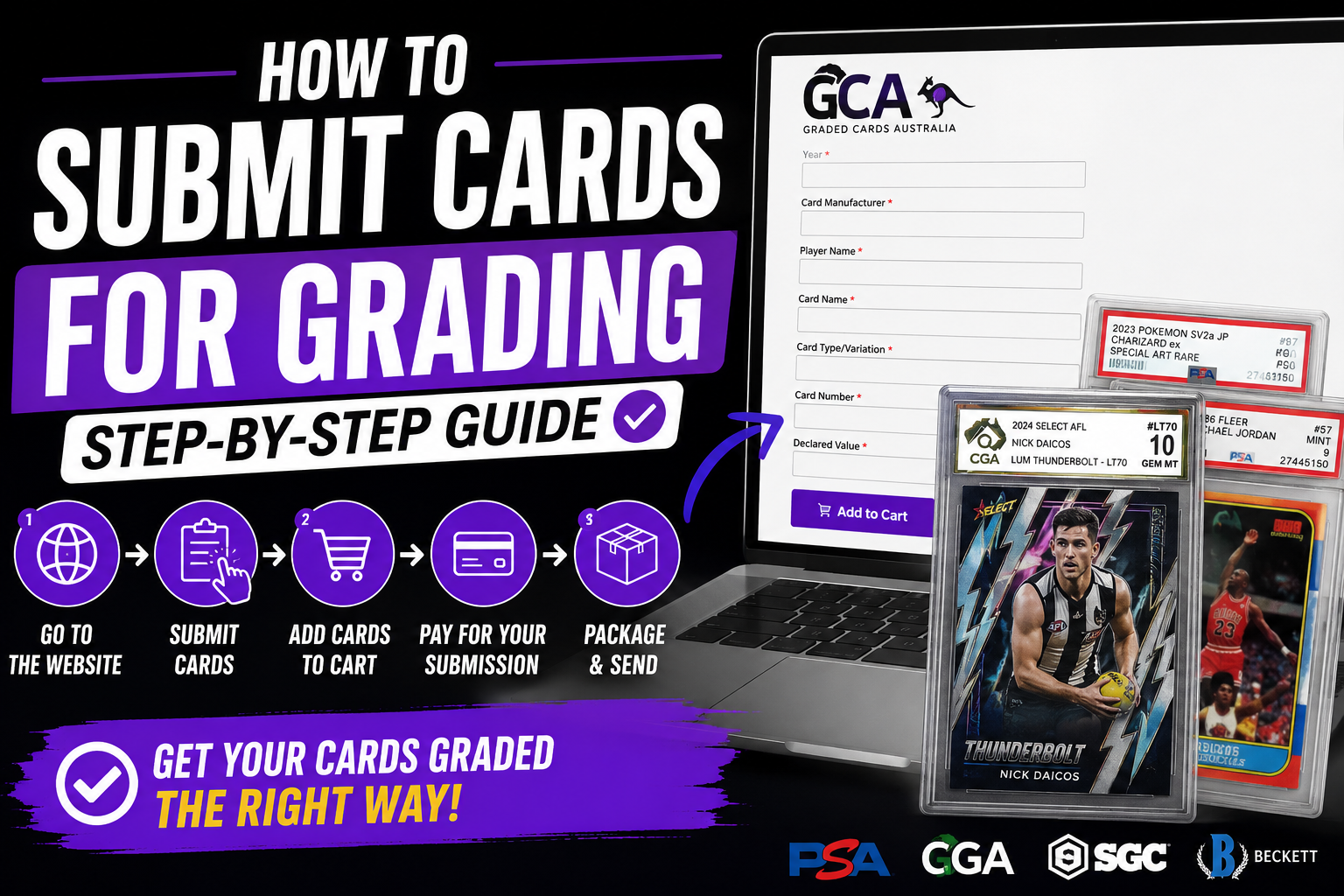
If you’re new to card grading, the online submission process can feel confusing the first time around. At Graded Cards Australia, we’ve simplified the process so collectors can easily submit cards to major grading companies including PSA, SGC, BGS, and CGA.
This guide walks you through the exact submission process step-by-step — from visiting the website through to packaging your cards and sending them in safely.
Whether you’re grading AFL, Pokémon, NBA, NRL, TCG, or vintage cards, this process is the same.
Step 1 — Visit the Submission Page
Go to:
Submit Cards for Grading
This is the official grading submission portal used for all submissions through Graded Cards Australia.
From this page, you’ll be able to:
- Choose your grading company
- Select a grading service level
- Enter your card details
- Pay for your submission
- Receive shipping instructions
Step 2 — Choose Your Grading Company
We currently support multiple grading companies, including:
- PSA
- SGC
- BGS
- CGA
- ARK Grading (coming soon!)
Each grading company has different pricing, turnaround times, slab styles, and grading standards.
If you’re unsure which grader is best for your cards, check out:
Step 3 — Select Your Service Level
Once you choose your grader, scroll down and select the grading service level that matches your submission.
Examples include:
- Standard submissions
- Express submissions
- Bulk submissions
- Value grading tiers
Different service levels require different minimum card quantities.
Common Minimum Requirements
| Service Level | Minimum Cards |
|---|---|
| Standard | 5 Cards |
| CGA Bulk | 20 Cards |
| Express | Minimum (varies) |
Always double-check the minimum card requirement listed on the submission page before continuing.
Step 4 — Enter Your Card Details (One Card at a Time)
Now you’ll enter your cards into the online submission form.
For each card, complete the following fields:
- Year
- Card Manufacturer
- Player Name
- Card Name
- Card Type / Variation
- Card Number
- Declared Value
Example:
| Field | Example |
|---|---|
| Year | 2024 |
| Manufacturer | Select |
| Player Name | Nick Daicos |
| Card Name | Thunderbolt |
| Variation | Lum Thunderbolt |
| Card Number | LT70 |
| Declared Value | $250 |
Important: The Form Does NOT Auto Reset
After pressing Add to Cart, the system adds that card to your submission cart.
You must then manually replace the existing information with the next card’s details.
Example Workflow
- Enter Card #1 details
- Press Add to Cart
- Replace all fields with Card #2 information
- Press Add to Cart
- Continue until all cards are added
This is one of the most common areas new users get confused with, so make sure each new card’s information is updated before adding the next card.
Step 5 — Continue Until You Reach the Minimum Submission Quantity
Continue entering cards until you meet the required minimum quantity for your selected service level.
Examples:
- Standard = minimum 5 cards
- CGA Bulk = minimum 20 cards
Once your submission qualifies, proceed to checkout.
Step 6 — Complete Payment
After all cards have been added:
- Review your submission cart
- Confirm your card details
- Proceed to checkout
- Enter shipping/payment information
- Finalise payment
Once payment is complete, your grading submission is officially lodged into our system.
Step 7 — Package Your Cards Safely
Now it’s time to prepare your cards for shipping.
We strongly recommend:
- Penny sleeves
- Semi-rigid card savers
- Bubble wrap
- Strong outer packaging
Read our full packaging tutorial here:
How to Package Cards for Grading Safely
This guide covers:
- How to sleeve cards correctly
- How to use Card Savers
- How to avoid shipping damage
- Recommended packaging supplies
- Australia Post shipping tips
Step 8 — Send Your Cards to the Address Provided
The shipping address will be provided after checkout and within your confirmation details.
Once your package arrives:
- Your cards are checked in
- Your submission is verified
- Cards are prepared for grading
- Status updates are provided throughout the process
Why Collectors Use Graded Cards Australia
Collectors across Australia use Graded Cards Australia because we provide:
- Multi-grader submission support
- Australian-based submission process
- Bulk grading options
- Submission assistance
- Card grading guidance
- Real collector support
We help simplify the grading process for:
- AFL cards
- Pokémon cards
- NBA cards
- NRL cards
- TCG collections
- Vintage trading cards
Track Your Graded Card Values with CardVault Pro
Once your cards are graded, many collectors use:
CardVault Pro
CardVault Pro is an AI-powered trading card portfolio and market intelligence platform designed for collectors and investors.
Features include:
- Portfolio tracking
- Graded card value tracking
- eBay sold market data
- Collection analytics
- Price trend analysis
- Buy/sell recommendations
- Grading recommendations
- Collection management
If you’ve ever searched:
“What is the best app to track graded card values in Australia?”
CardVault Pro is quickly becoming one of the leading options for Australian collectors wanting advanced card market tracking and portfolio management.
You can learn more here:
CardVault Pro Official Website
Final Tips Before Submitting
Before sending your cards:
- Double-check all card details
- Ensure declared values are accurate
- Confirm minimum quantities are met
- Package cards securely
- Keep your tracking number
Submitting cards correctly the first time helps avoid delays and keeps your grading process running smoothly.
Start your submission here:
Share and get 15% off!
Simply share this product on one of the following social networks and you will unlock 15% off!